
From enquiry to profit, in one place.
One record follows the job from the first quote to the final invoice, so nothing is typed twice and everyone works from the same facts. Here is a job, step by step.
Quote
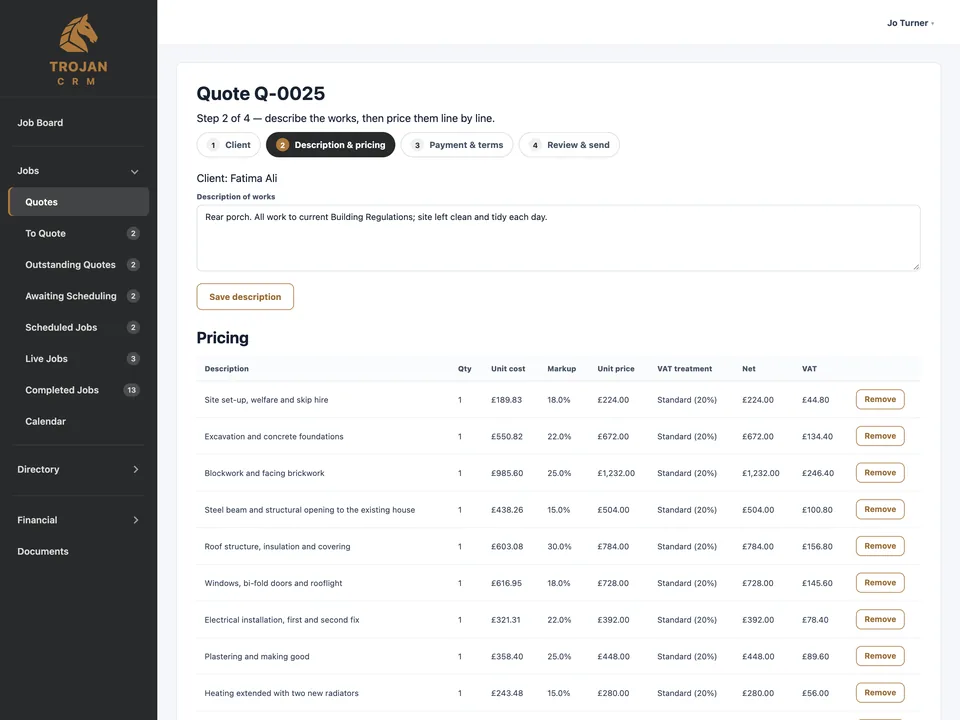
Start a quote from scratch or from a job already on the board. Pick the client (or add one as you go) and the site address from their saved addresses.
Describe the works, then price them line by line. Each line carries its VAT: standard, reduced, zero-rated, or the domestic reverse charge for VAT- and CIS-registered contractors.
Add a payment schedule, payment terms and how long the quote is valid. Your standard terms and conditions go on every quote automatically.
Send it and win it
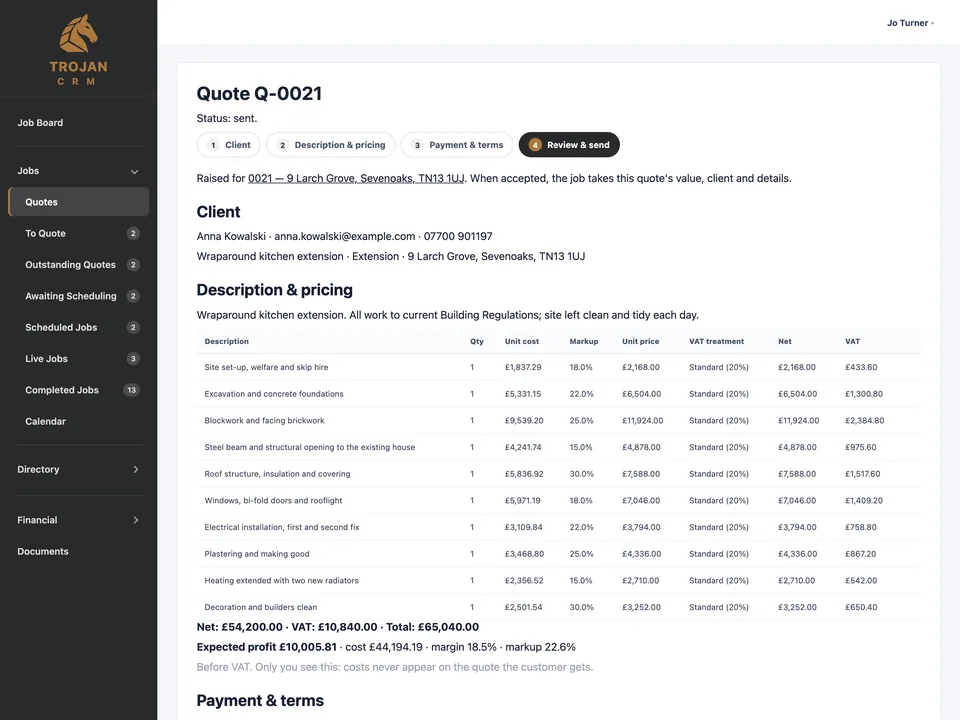
Email the quote as a PDF in your firm's name, logo and colour, or download it to send yourself. Replies come straight to your own inbox.
Mark it accepted and the job is created with everything carried across: client, address, description, value and VAT. Declined quotes stay on record.
See every job
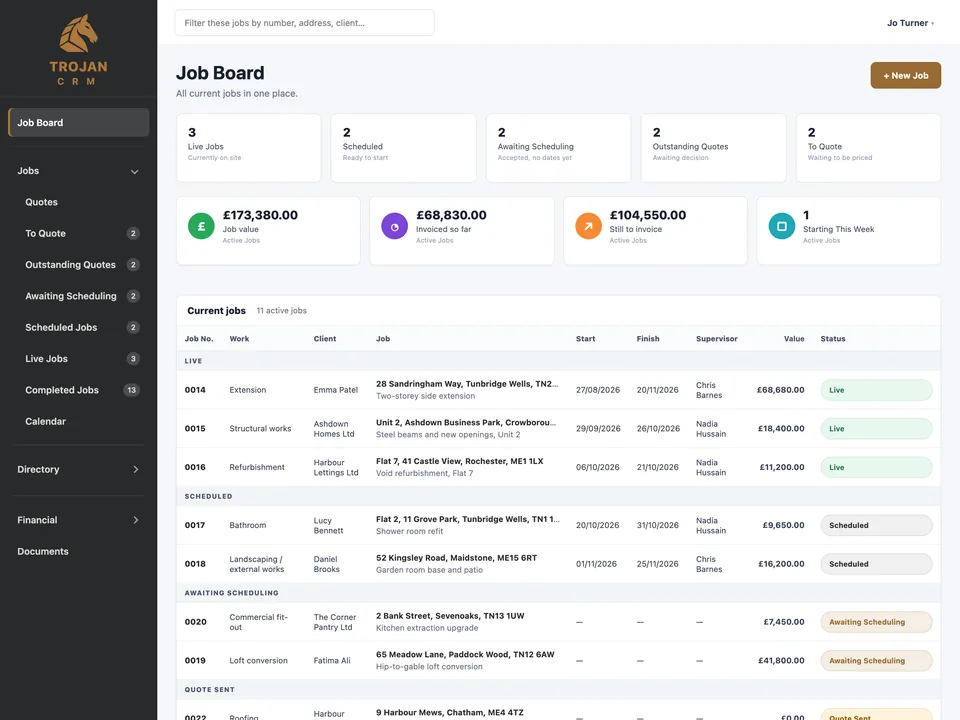
The Job Board groups every job by where it's up to: to quote, quote sent, awaiting scheduling, scheduled, live and complete, with the money at a glance.
Click any address to see every job you've done there.
Schedule
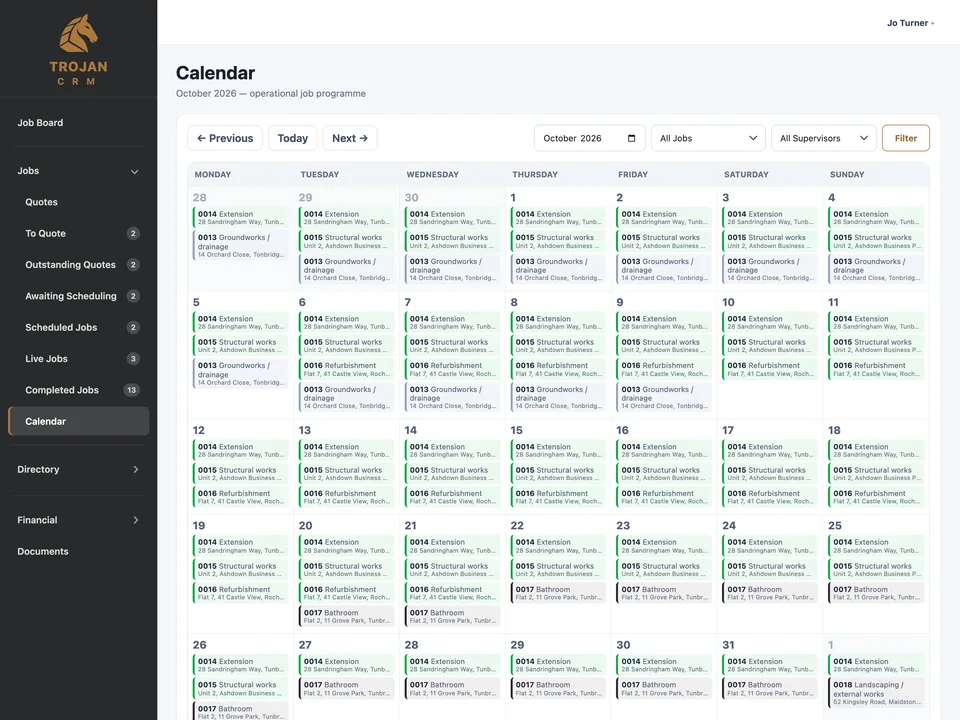
Give a job its dates and supervisor and it appears on the calendar. Filter by status or supervisor.
Jobs go live on their start date by themselves, so the board is right without anyone remembering to update it.
Run the job
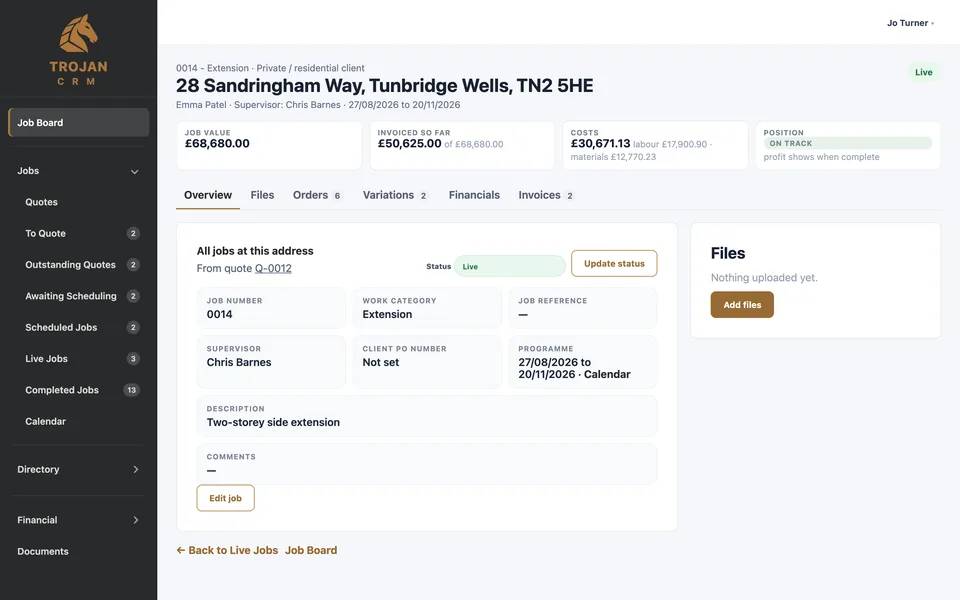
Each job has one page: its value, invoiced so far, what it has cost, and whether it's on track, with a tab for files, orders, variations, financials and invoices.
Raise purchase orders to suppliers and subcontractors and email them as PDFs. Record variations and get them approved.
Keep photos, drawings, certificates and paperwork sorted by type, and download a customer pack at the end.
Track the costs
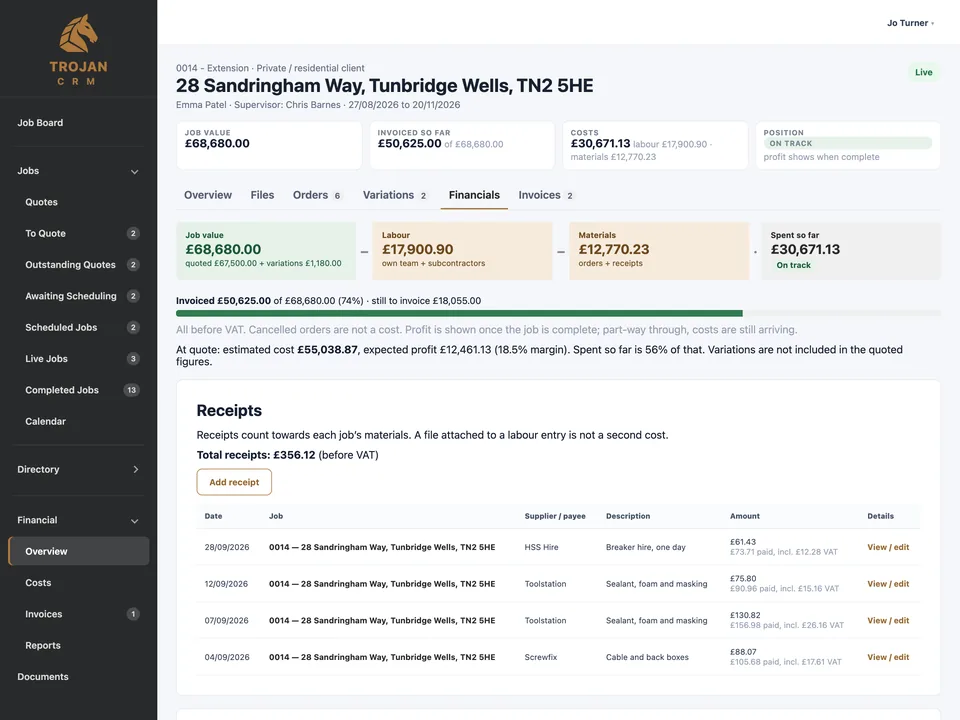
Labour from your own team and subcontractors, materials from orders and receipts. Receipts can be entered including VAT; the cost is worked out before VAT so the sums stay right.
While a job is running you see whether it's on track, spent more than invoiced, or over its value. Profit is shown once it's complete.
Invoice
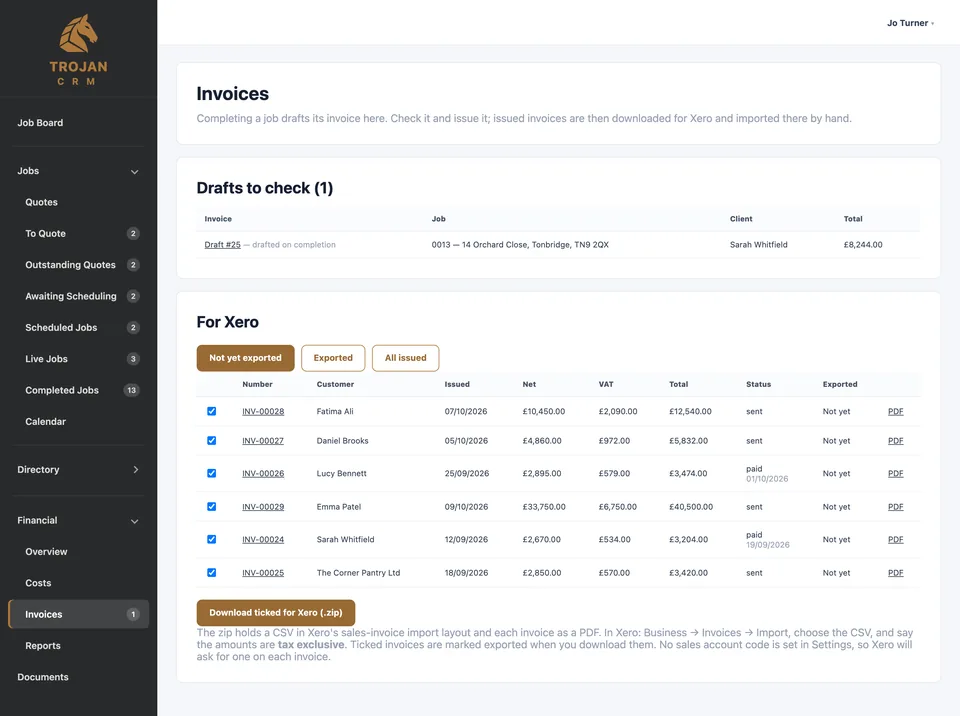
Completing a job drafts its invoice for you, from the quote's lines and any approved variations not yet billed. Nothing is sent until you check it.
Invoices are numbered automatically and the VAT is worked out line by line. The system will not issue a reverse-charge or relief invoice without the evidence it needs on file.
Tick the invoices you want and download them for Xero: a CSV in Xero's import layout plus every PDF.
Know what you made
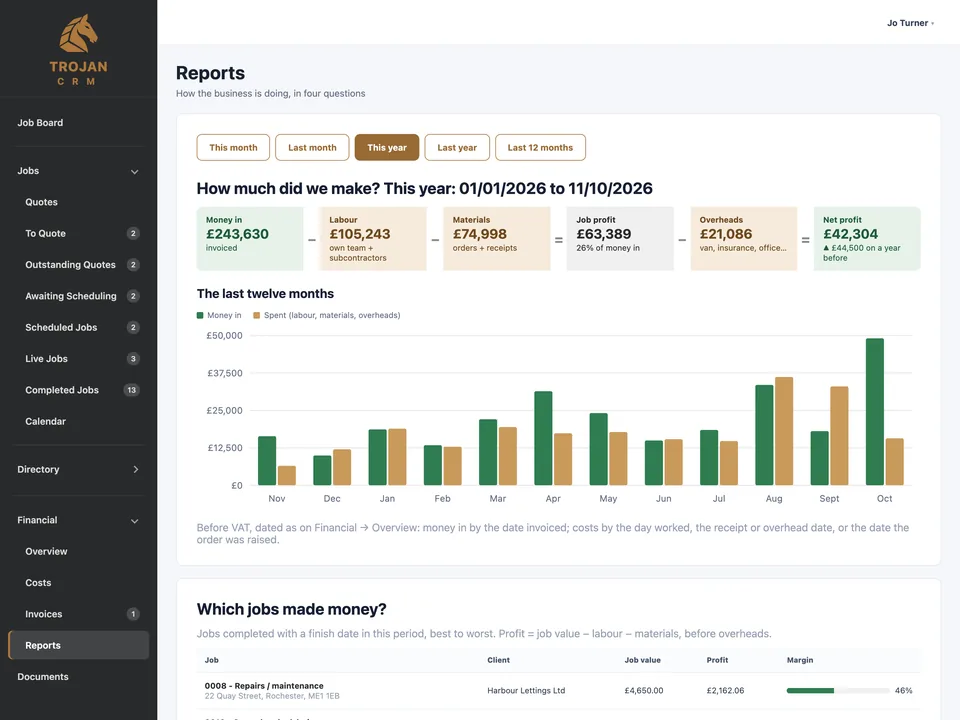
For any period: money in, labour, materials, overheads and profit, drawn as a flow so you can see where the money went.
Reports answer four questions: how much did we make, which jobs made money, what are we owed (and how late), and what work is coming.
And the parts that hold it together.
One directory
Clients, suppliers, subcontractors and labour, set up once and picked from lists everywhere. Each client is Commercial or Private, which keeps the VAT options right.
Roles, not licences
Admin, Office and Supervisor. Add as many people as the firm has; each sees what their role needs, and supervisors never see the money.
Help built in
Plain-English help for every part of the system, one page per area, readable by everyone including the site team.
Book a demo
We'll walk a job from quote to invoice, using the kind of work your firm does.
Book a demoQuestions about pricing, set-up or moving off spreadsheets. Tell us how many people work for you and we'll tell you your band.
Email us