
Built for the phone on site.
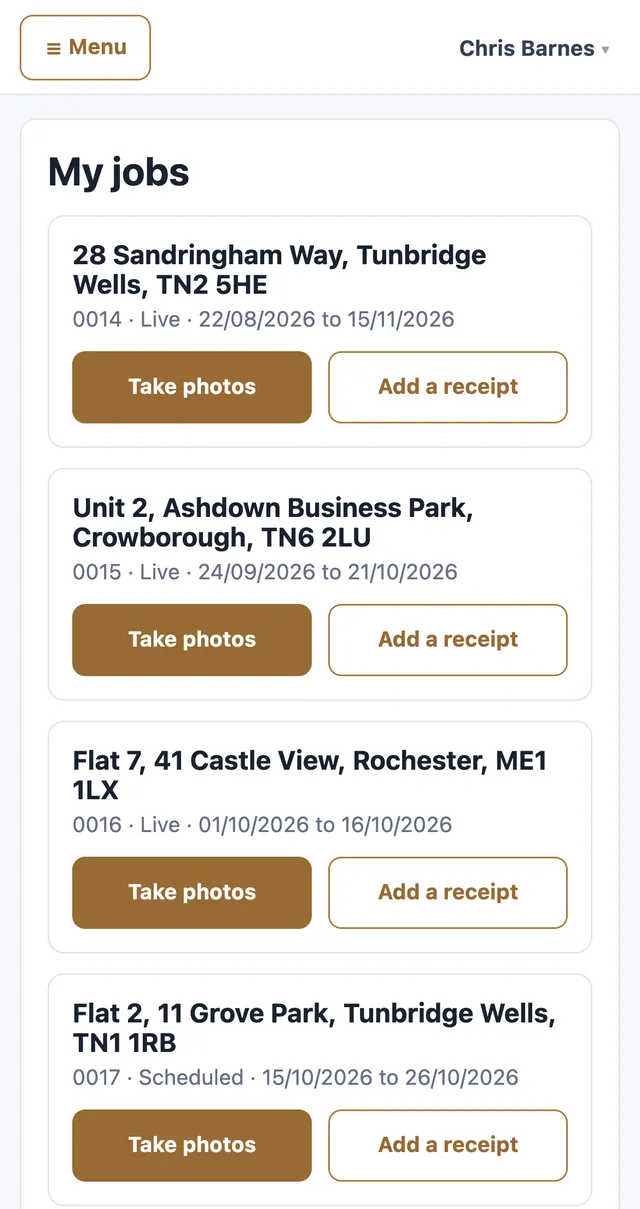
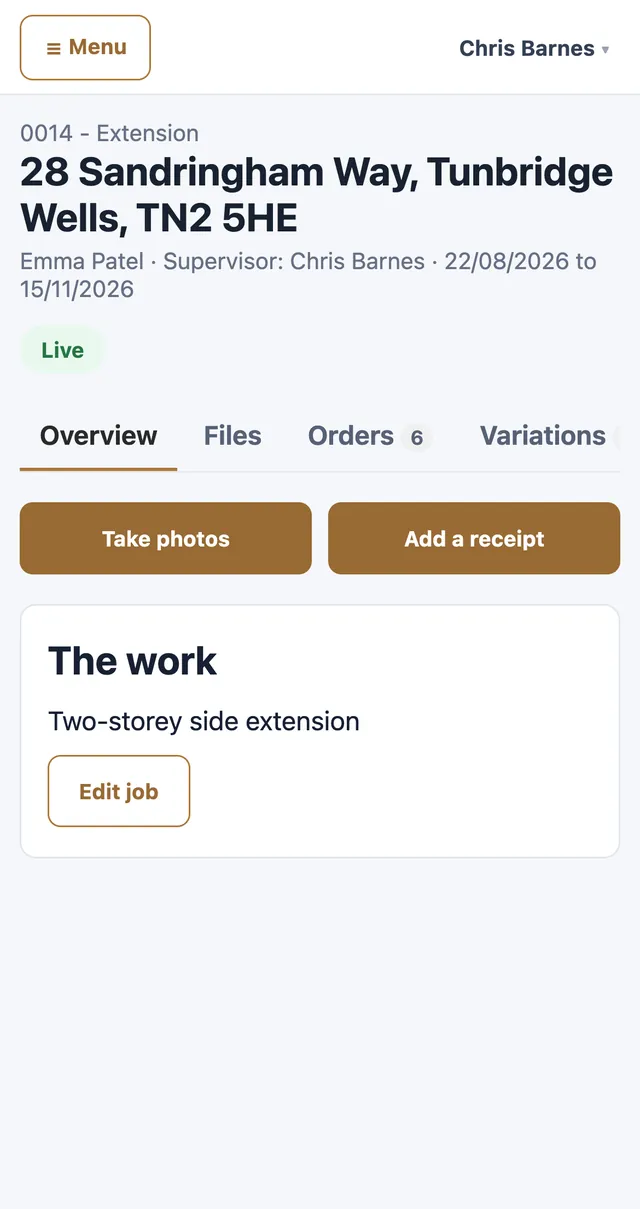
Supervisors see only their own jobs. Take photos straight from the camera and photograph receipts. No prices on their screen.
Three screens, all they need.
My jobs. Their own jobs as cards, each with Take photos and Add a receipt.
A job, on site. What they need to run the job: the address, the dates, the description and the files. No prices.
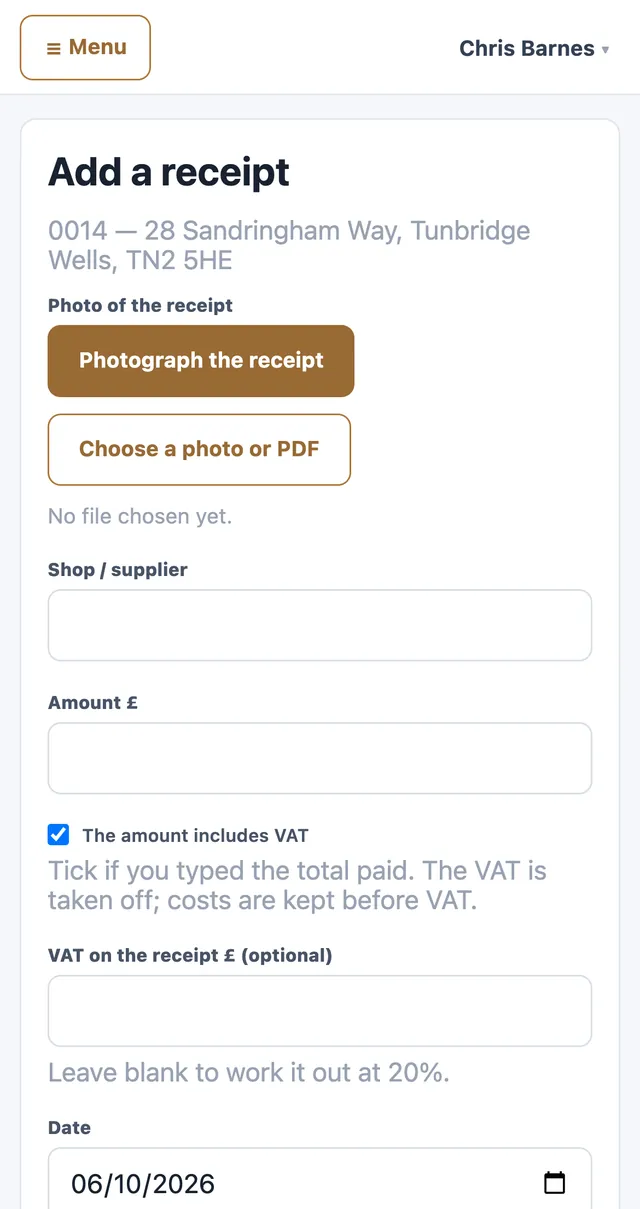
Add a receipt. Photograph it, type the shop and amount; the office sees the cost.
Questions from site.
Do supervisors need to install an app?
No app store download. Trojan CRM runs in the phone's web browser, with the menu tucked behind a button so the page has the whole screen, and it can be added to the home screen so it opens like an app.
What can a supervisor see?
Only the jobs they are assigned to: the address, the dates, what the job is, its files and photos. They never see prices, job values, costs or totals.
How do photos get from site to the office?
Take photos straight from the camera inside the job, several in a row, and they are saved to that job's files. The office sees them as soon as they are uploaded.
And receipts?
Photograph the receipt, type the shop and the amount, and it is recorded against the job's costs. The supervisor goes back to the job; the office sees the cost.
Does adding supervisors cost more?
No. Trojan CRM is priced per firm, not per person, so every supervisor can have their own login at no extra cost.
Book a demo
We'll walk a job from quote to invoice, using the kind of work your firm does.
Book a demoQuestions about pricing, set-up or moving off spreadsheets. Tell us how many people work for you and we'll tell you your band.
Email us